Read everything,
in whatever state it survived.
PDFs, scans, emails, spreadsheets, a fax from 1998, a note in the margin. If a person can read it, so can we.
LightOn Core
LightOn Core makes your company memory searchable for AI no matter your document formats.
Connect any AI models from Anthropic, Mistral or OpenAI to your company's Core memory
Most companies end up with multiple copies of their knowledge base.
One under the chat assistant
One inside a department's pilot
One buried in a vendor's product
That’s three copies of the same documents
Can I go to 15% on the Acme deal or do I need sign-off?
Discount approval levels vary by company. Sales reps typically have some flexibility, but larger discounts usually require manager sign-off. Check your internal pricing policy.
Sounds reasonable. Answers nothing. It could be any company.
Can I go to 15% on the Acme deal or do I need sign-off?
No. You can grant up to 10% on your own Approval policy. Anything above that needs director approval. Pricing This policy was last updated in May 2026 from Google Drive Sales Ops folder.
Sources
Clear answer from real company facts.
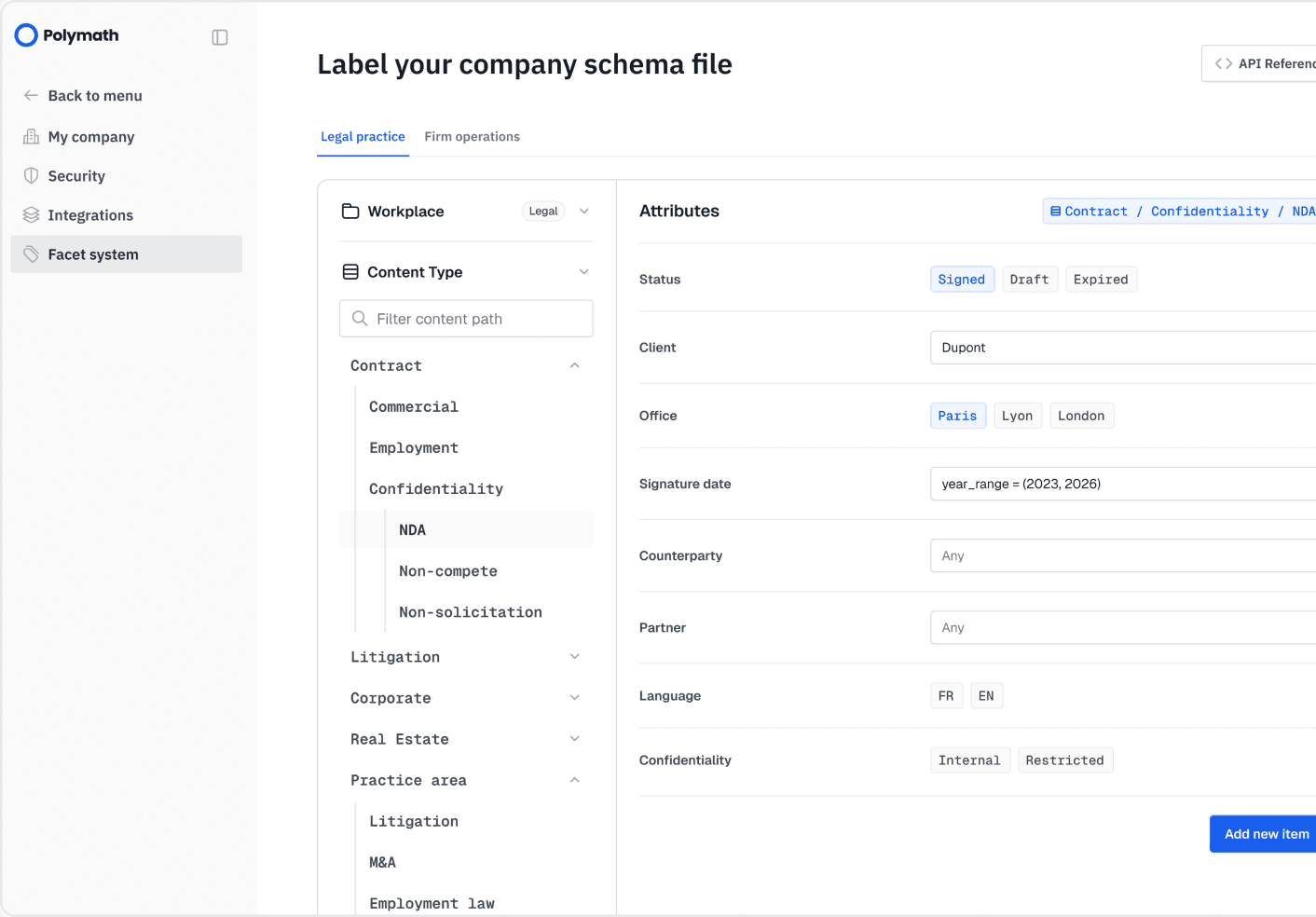
A law firm doesn't think in "documents"; it thinks in clients, matters, practice areas, jurisdictions. Your IT team tells us those words once. Every file gets tagged with them as it's read, so each search starts in the right drawer.
“Find me the NDAs we signed for Dupont in litigation, Paris, since 2023”



Point us at your drives, mailboxes and archives. We parse everything and make it searchable, with your access rules kept intact. Your teams ask questions in the tools they already use and get answers with the source attached.
Every answer points to the document, the section, the page and the date. Nothing is asserted without a source. Every question and every answer is logged.
Console follows your IT directory and your single sign-on. Someone joins, leaves or changes team, their access moves with them.
A contract gets amended, a procedure is updated, a new drive is plugged in. The memory updates, and so doles the answer.
Most tools give you a snapshot of your documents on the day you install them. LightOn Core keeps the picture moving, and keeps it governed.
The user only sees the answer they were looking for
Keeping it up to date
Document change, edit, reviewed, updated.
Pulling out the facts
Dates, names, amounts, clauses.
Tracing every answer
Back to the exact document, page & line.
Reading every format
PDFs, Word, Excel, slides, scans, images, faxes and more.
Storing and indexing it all
Millions of pages in a single place.
Knowing who can see what
Access rights, per department and employee
Keeping the cost down
Ten times less compute
For GenAI platform teams
Give every AI project one search layer that holds up on real documents and permissions.
For software vendors
Add document search to your product without spending two years building it.
For data & knowledge teams
Decide what the AI is allowed to read, and prove the rules hold.
Get 45 min with one of our AI architects.